
How to Register for ChatGPT: Step-by-Step
A practical walkthrough of signing up on the official site, verifying email and phone, handling common blockers, and staying safe.
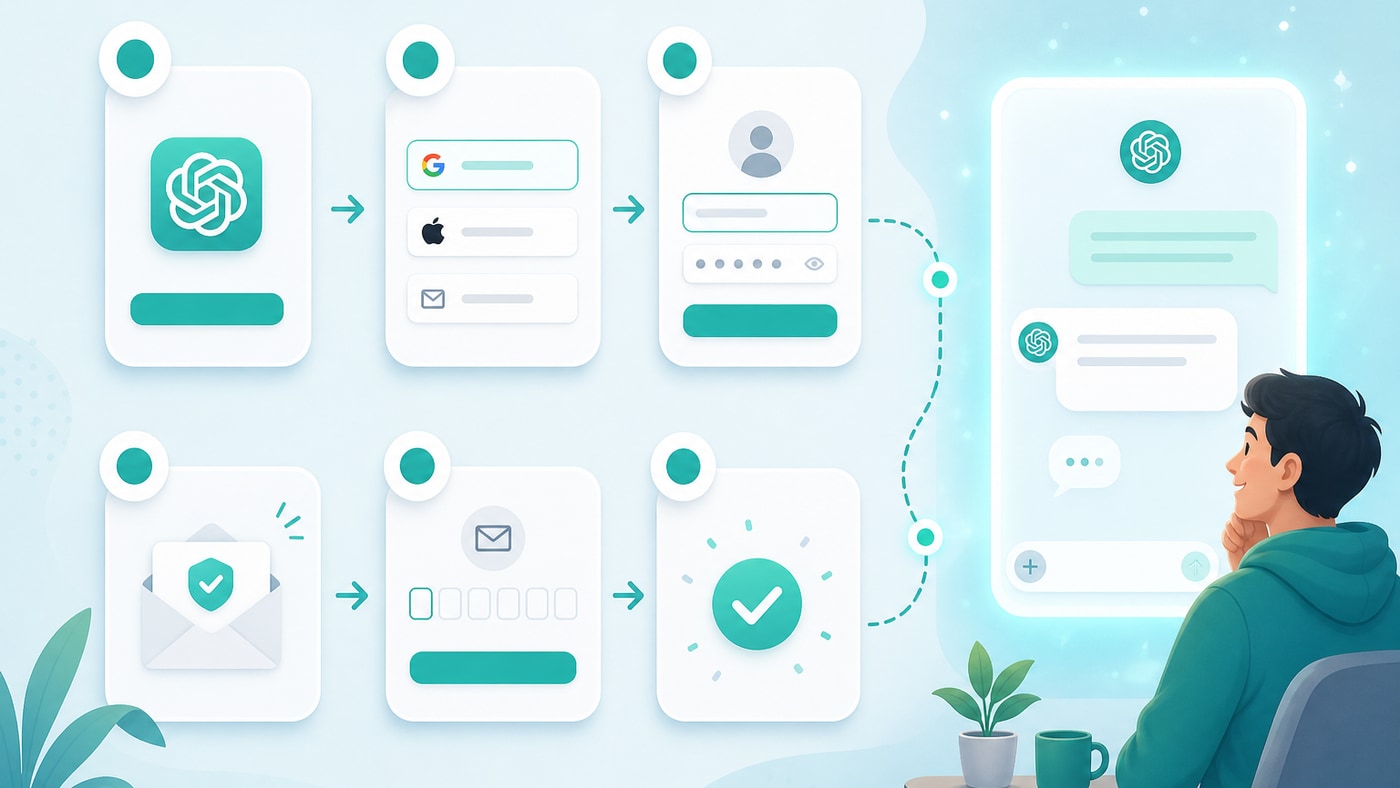
Before you begin
To register on ChatGPT you typically need:
- A working email address you can access later for recovery
- A phone number that can receive SMS (availability varies by region/carrier)
- A modern browser and a stable connection
Policies and regional availability change—always follow on-screen guidance on ChatGPT and OpenAI.
Recommended path (official site)
Step 1: Open the site
Go to https://chatgpt.com/ and choose Sign up.
Step 2: Pick a sign-up method
| Method | Notes | Tip |
|---|---|---|
| Email + password | Independent account control | Use a password manager |
| Google / Microsoft / Apple | Faster OAuth | Confirm the recovery email |
Step 3: Verify email
Open the verification link. If it is missing, check spam/promotions, wait a minute, and confirm spelling.
Step 4: Profile and phone verification
Complete the required fields and SMS code. If the number is rejected:
- Try another number that reliably receives international SMS
- Avoid rapid retries that may trigger fraud checks
- Some users evaluate an compliant SMS activation services (assess risk and terms yourself; we do not endorse a specific provider)
Step 5: Sign in and chat
Return to chatgpt.com, sign in, and start a new conversation.
Optional: payments for subscriptions
A free account is enough to explore. Paid plans usually need a supported payment method. Some people look into a third-party virtual card services (assess risk yourself; we do not endorse a specific provider). Regardless of method:
- Enter card details only on official checkout pages
- Never share SMS codes or full card screenshots with strangers
- Confirm subscription status in account settings after purchase
FAQ
I never get the SMS
Confirm the handset can receive international SMS; try another carrier; avoid peak locking windows; check carrier filters.
Region not supported
Follow the live message on the official site. Later site updates may document a mirror site entry or domestic ChatGPT option.
Locked or unusual account activity
Use official password reset and OpenAI help channels. Avoid “account recovery agents” ads.
Safety reminders
- Unique, strong passwords; enable 2FA when available
- Do not type your OpenAI password on unknown third-party pages
- Sign out on public computers and clear saved sessions
Three things to do after signup
- Send a simple hello message to confirm chat works
- Review settings for language, theme, and data controls
- Read Plus vs Free and Effective Asking so expectations match reality
Registration is the gate; clear questioning is what unlocks real productivity.
Related
What Is ChatGPT? A Complete Beginner’s Guide
Understand what ChatGPT is, what it can and cannot do, how it differs from search engines, and how to start your first conversation.
Effective Asking: Get Better Answers in Fewer Turns
Goal framing, follow-up tactics, and a quality checklist to raise ChatGPT hit rate and cut wasted conversation loops.
ChatGPT Plus vs Free: Should You Upgrade?
Compare limits, models, speed, and real workflows so you can decide when Plus is worth the subscription.